


Looking to sell your car quickly and for the best price? Motor Bazar offers a smart, seamless valuation system that lets you book a free car inspection and valuation in just a few clicks. In this guide, we will walk you through the process step-by-step with screenshots.
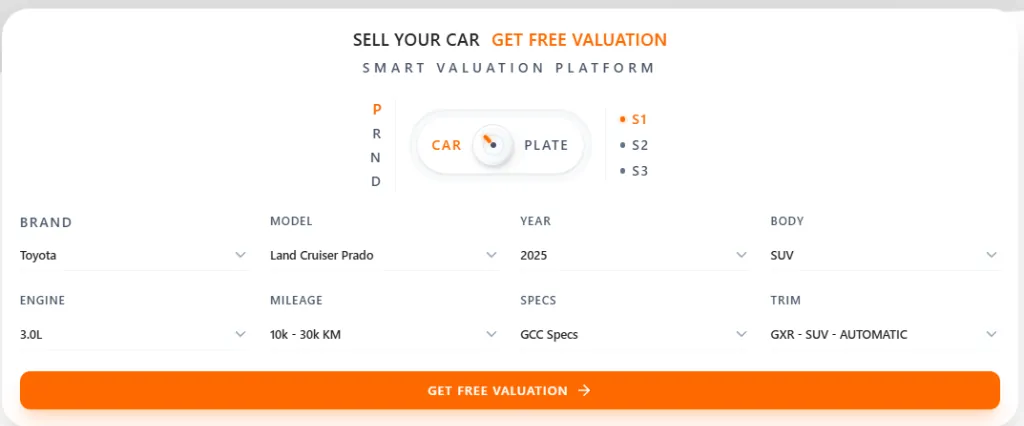
Step 1: Enter Your Vehicle Details
Enter your car details to help us calculate a highly accurate initial valuation. Select the make, model, year, body type, engine size, mileage, and regional specs, then click Get Free Valuation.
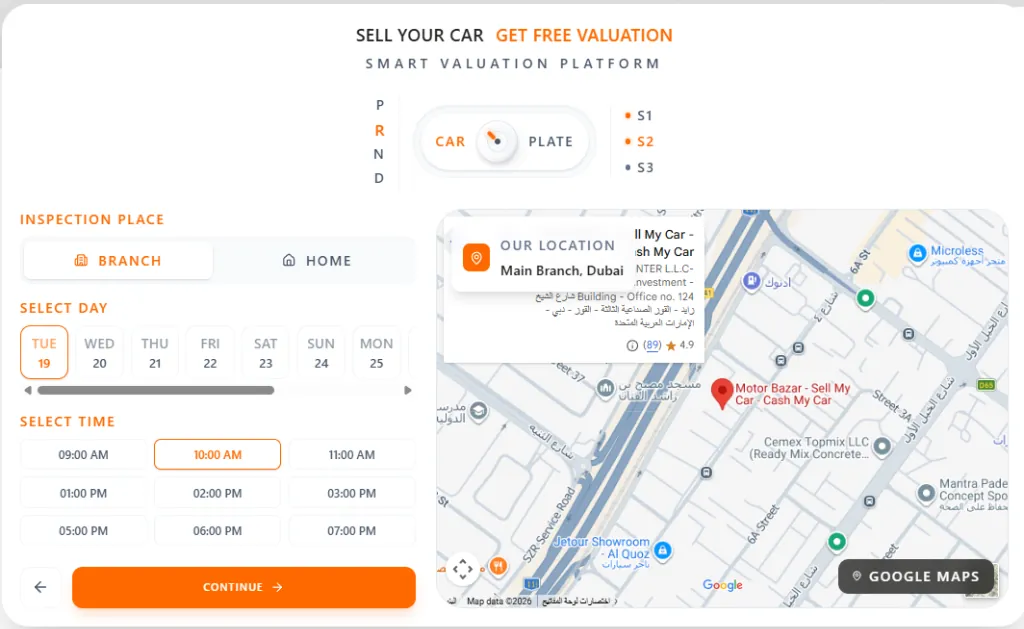
Step 2: Choose Inspection Location & Time
Choose your preferred location for the free physical inspection. You can select either a Branch Visit or a Home/Office inspection. Select your preferred date and time slot from the calendar, then click Continue.
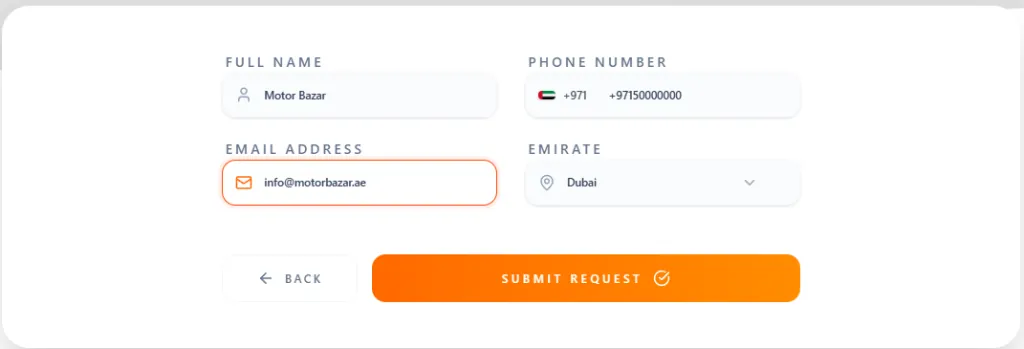
Step 3: Enter Your Contact Information
Provide your contact information so our buying consultants can reach you. Fill in your full name, phone number, email address, and select your Emirate, then click Submit Request.
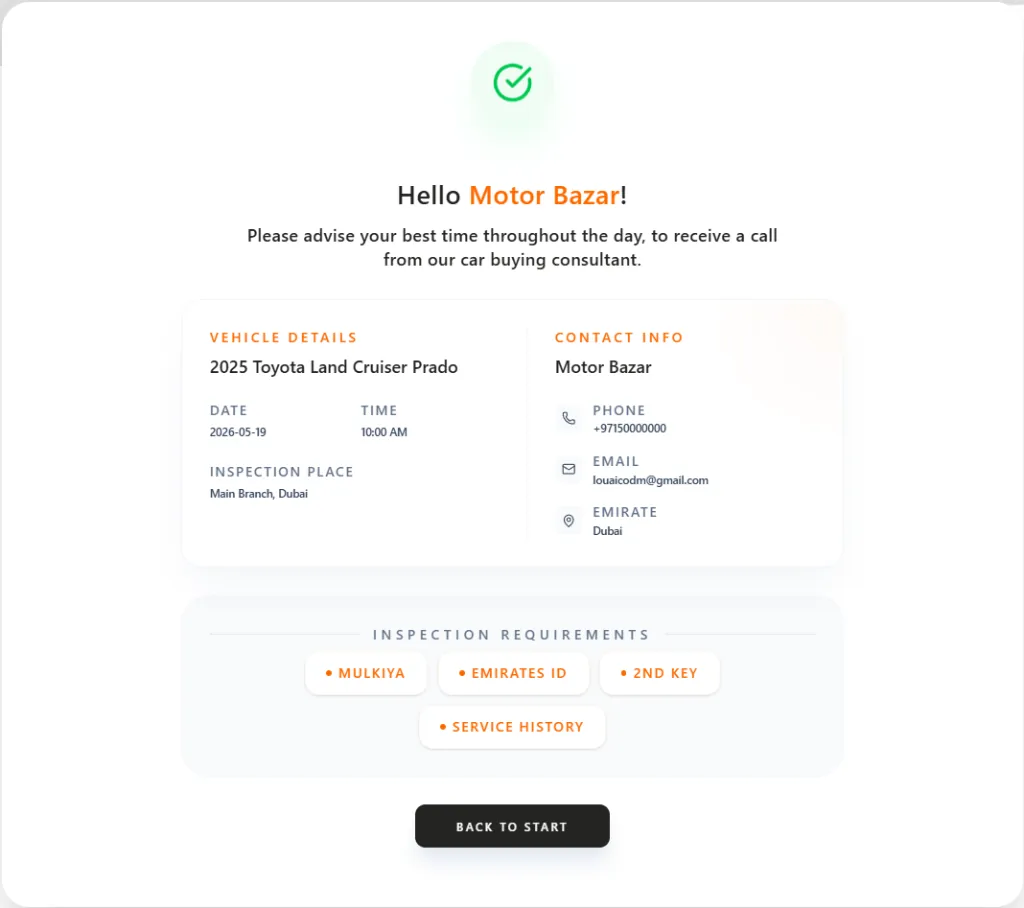
Step 4: Request Confirmed On Screen
Once submitted, a confirmation page will display your request summary, vehicle details, chosen location, and time. It also lists the documents required for the inspection (such as the Mulkiya/registration card, Emirates ID, 2nd car key, and service history).
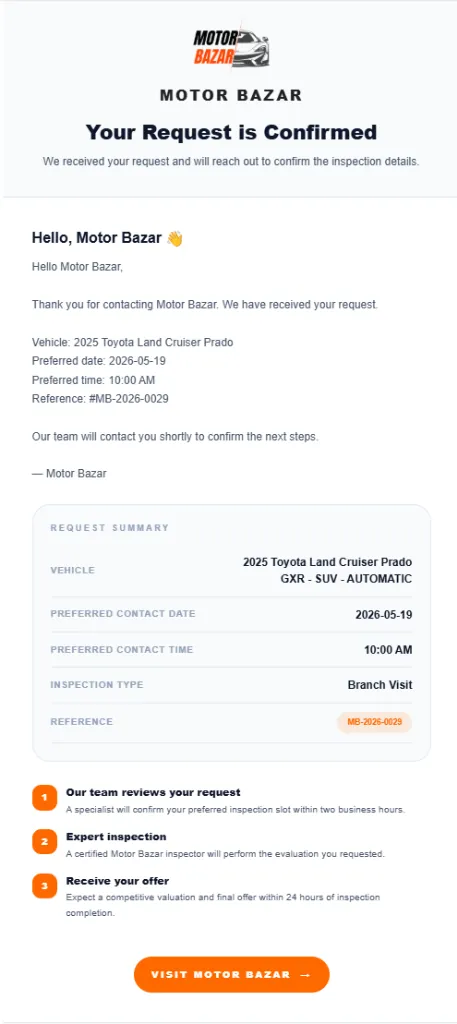
Step 5: Get Instant Email Confirmation
You will receive an instant email summary of your booking containing your reference ID. Our specialized team will review your request and contact you within 2 business hours to confirm the final steps.
That's it! You are ready to sell your car and get paid instantly.